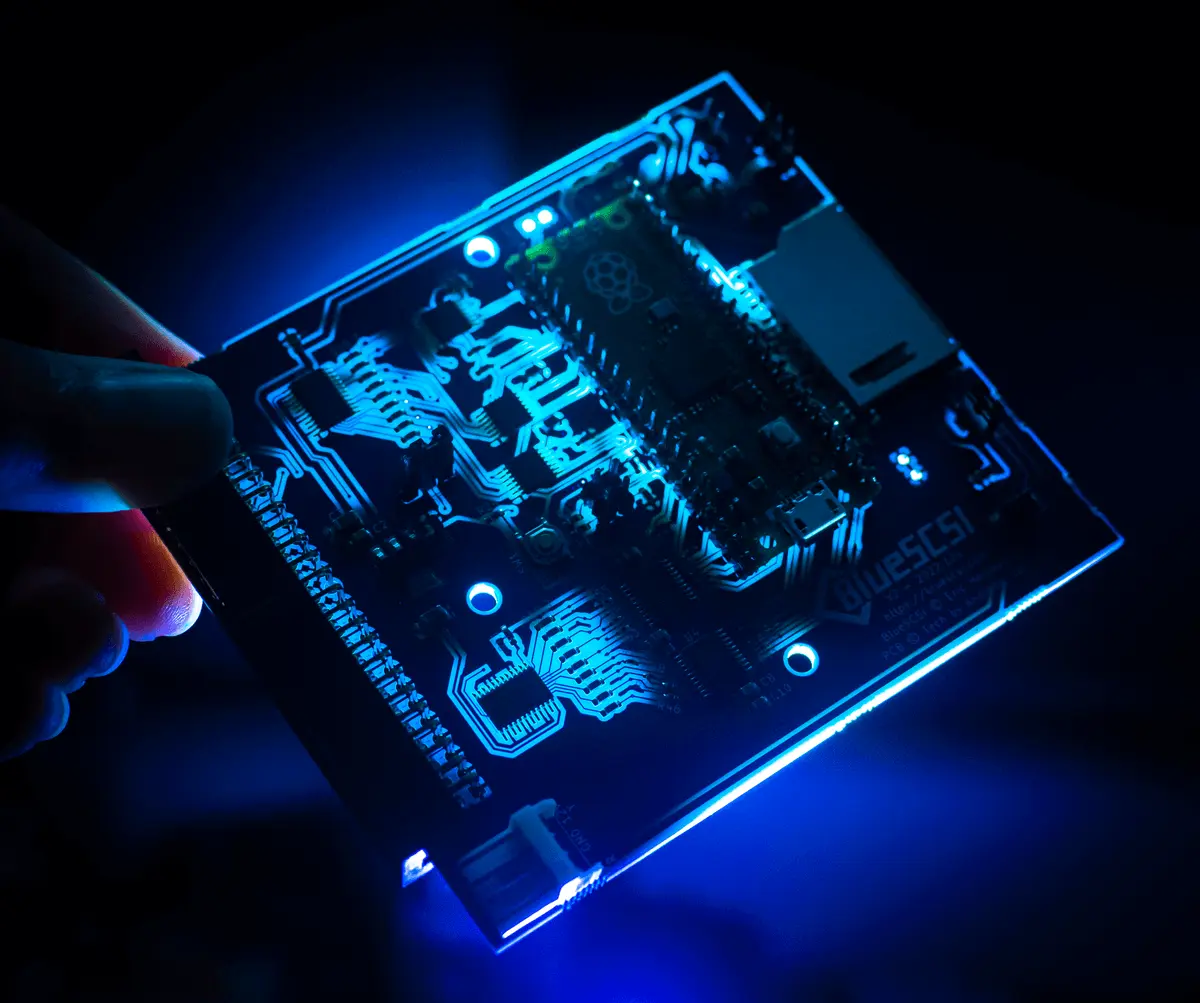

Common questions about BlueSCSI. The documentation goes deeper on every one of them.
General & Getting Started
What is BlueSCSI?
BlueSCSI is an open source, open hardware SCSI storage emulator. It replaces a SCSI hard drive with an SD card, so a vintage computer boots and runs from disk images instead of a failing 30 year old mechanism.
It emulates hard drives, CD-ROMs, tape drives and network adapters, and works with classic Macintosh, Amiga, Atari, Sun, SGI, NeXT, IBM PC compatibles and more.
What is the difference between BlueSCSI v1 and v2?
BlueSCSI v2 is built on the Raspberry Pi Pico (RP2040 and RP2350). Compared to v1 it is faster, supports Ultra SCSI speeds, adds Wi-Fi on Pico W boards, adds Initiator Mode, and is where all current development happens.
BlueSCSI v1 is the original STM32 design. It still works and the source is still available, but it no longer gets new features. Get a v2, an Ultra or an Ultra Wide for a new build.
Which BlueSCSI should I get?
Pick the board that matches the connector in your machine:
- V2 Desktop: internal 50-pin, for most desktop machines.
- V2 DB25: external DB25, for the Macintosh Plus, SE, Classic and other external SCSI chains.
- V2 Centronics: external 50-pin Centronics.
- V2 PowerBook: 2.5 inch 44-pin, for portables.
- Ultra: internal 50-pin, faster, with DIP switches for common settings instead of an ini file.
- Ultra Wide: 68-pin Wide and 80-pin SCA.
See the Hardware documentation for what is on each board.
Which computers work with BlueSCSI?
Essentially any machine with a SCSI bus. That includes Macintosh, Amiga, Atari ST, TT and Falcon, IBM PC compatibles with a SCSI card, Sun, SGI, NeXT and HP workstations, and SCSI samplers, synths and industrial equipment.
The Compatibility page lists tested machines and the few that need special settings. If yours is not on it, assume it works, and add it once you have tried it.
What do I need to get started?
- A BlueSCSI, from one of the makers.
- An SD card. See the SD card recommendations.
- Disk images for your machine. Start with the ready made BlueSCSI Images.
The Usage guide walks through the whole setup.
Buying & Hardware
Where can I buy a BlueSCSI?
From the makers listed on the buy page, who build and sell BlueSCSI hardware around the world. The page shows who currently has stock and where they ship from.
This site does not sell hardware itself.
Should I buy a kit or a built board?
Buy it built unless you specifically want to solder one. A built board needs nothing but an SD card.
Kits are surface mount and are meant for experienced hobbyists. The kit assembly instructions cover the build.
Can I build my own?
Yes. The hardware is open, and the KiCad files and Gerbers are in the GitHub repository under the CERN Open Hardware Licence v2 Strongly Reciprocal.
Follow the Build it Yourself guide. You will need good SMD soldering skills or an assembly service.
What else do I need to buy?
Usually nothing. Termination is built into the board, so there is no separate terminator to buy.
Depending on the machine you may want a SCSI cable of the right length and gender, an adapter such as 50-pin to 68-pin, or a Molex or Berg power lead. The Accessories page lists what works.
Setup & Configuration
Which SD card should I use?
Any card will work, but the card is the most common cause of trouble, so start with a good one. High endurance cards are worth the extra couple of dollars because the images are written constantly.
- Recommended: Western Digital Purple, Samsung PRO High Endurance, Samsung EVO Select.
- Avoid Kingston. Their cards do not follow the SD standard and fail intermittently.
- Format with the official SD Card Formatter using a full overwrite format. exFAT is preferred, FAT32 works.
A bad card rarely looks like a card problem. An empty log.txt, CRC errors, or a BlueSCSI that drops off the bus are all worth a different brand of card before anything else. See the SD Cards page.
How do I name my disk images?
HD for a hard disk or CD for a CD-ROM, then the SCSI ID, then anything you like:
HD10_512.hdais a hard disk at ID 1 with 512 byte sectors.HD6 System 7 Quadra 700.hdais a hard disk at ID 6. The text after the numbers is ignored.CD3 Myst.isois a CD-ROM at ID 3.
Put them in the root of the card. Full details are on the Usage page.
Where do I get disk images?
Ready made images for several systems are on the BlueSCSI Images page, and the Image Sets page lists more.
On a Mac, only a device image works. A device image is a byte for byte copy of a whole drive, with its partition map and SCSI driver. A volume image holds only the HFS partition, which is what emulators like Mini vMac use, and a real machine will not boot it. Disk Jockey converts between the two. See Disk Images.
How do I update the firmware?
Two ways, both starting from the downloads page.
Over USB: hold the BOOT button while plugging in the USB cable. The board appears as a drive called RPI-RP2. Drag the .uf2 onto it and it restarts on its own.
From the SD card: copy the .zip to the root of the card and leave it zipped. The BlueSCSI updates itself on the next boot and deletes the zip. Do not cut the power while it runs. This needs v2025.07.07 or newer already installed.
Check log.txt on the card afterward to confirm the version. See Updating Firmware.
What is bluescsi.ini and do I need one?
Almost certainly not. bluescsi.ini is an optional file for advanced settings, and BlueSCSI runs fine without it.
It is worth creating when you need a system preset for a fussy machine such as a Mac Plus, an X68000 or a MegaSTE, when you want debug logging, when you want images read from a subfolder, or when you are turning on Fast20 speeds. There is a generator at ini.bluescsi.com that writes the file for you.
Termination is not set here. It is a jumper or a switch on the board. Every setting is listed on the bluescsi.ini page.
Do I need to set any jumpers?
SCSI IDs come from the image filenames, so there are no ID jumpers to set. Two jumpers do matter:
- Termination. Set
TRM_ONif the BlueSCSI is the last device on the bus,TRM_OFFif it is not. Ultra and Ultra Wide use a DIP switch instead. - Initiator/Target on Desktop boards from 2023.09a on. The jumper has to be installed or the board will not work. Target is the normal setting.
The Board Jumpers page covers the rest, including the power and LED brightness jumpers on the Desktop boards.
Moving Files Around
How do I get files onto my vintage computer?
- BlueSCSI Toolbox copies files between the SD card and the machine while it is running. See the Toolbox page.
- USB shows the SD card on a modern computer when you plug in the USB cable, so you can drop files into the
sharedfolder or swap images. - Wi-Fi gives the machine real networking on a Pico W board, so it can use AppleShare, FTP or the web.
- The SD card itself can always come out and go into a card reader.
See Transferring Files.
What is BlueSCSI Toolbox?
Software that runs on the vintage machine and talks to the BlueSCSI directly. It copies files to and from the shared folder on the SD card, swaps CD images without touching the hardware, and uploads new firmware.
There are versions for Classic Mac, Amiga, Atari, DOS and more. Download it from the BlueSCSI Toolbox page.
Can I use it as a USB drive?
Yes, and it is on by default. Plug the BlueSCSI into a modern computer with a USB cable and the SD card mounts as a removable drive. Any board does this, Wi-Fi or not.
Power the vintage machine off first. To turn the behavior off, for example when you want to power the board from USB while it is installed, put EnableUSBMassStorage=false under [SCSI] in bluescsi.ini. See USB Thumb Drive Mode.
Can I swap the SD card while it is running?
No. Power the vintage machine down, change the card, then power it back up. Pulling the card out from under a running system risks the images on it.
Use BlueSCSI Toolbox or the USB connection if you want to move files without a power cycle.
Troubleshooting
My computer does not see the BlueSCSI
Read log.txt on the SD card first. It says what the board found and what it did, and it answers most of these questions on its own.
- Images: named correctly (
HD10_512.hda) and in the root of the card. - SD card: inserted, formatted exFAT or FAT32, and not a brand from the avoid list.
- Termination: on if this is the last device on the bus, off if it is not.
- ID conflict: nothing else on the bus can share an ID with an image.
- Jumper: Desktop boards need the Initiator/Target jumper installed, set to Target.
- Power and cables: check the LED and reseat the SCSI cable.
The Troubleshooting guide goes through each of these in turn.
The SD card is not working
Try a card from a different brand before anything else. Users routinely work through several cards from the same line without success when the brand is the problem.
- Kingston cards are known bad. They do not follow the SD standard.
- Reformat with the official SD Card Formatter, full overwrite, exFAT or FAT32.
- Counterfeit cards report a size they do not have. Test a suspect card before trusting it.
See the SD Cards page for the recommended list.
It is slower than I expected
- The SD card sets the ceiling. A high endurance or fast card makes a real difference.
- Fragmented images are much slower, and the log warns you when it sees one. See Image File Fragmentation.
- The driver matters on a Mac. FWB is the fastest on Power Macs.
- The machine may simply have a slow SCSI bus.
The Performance page has measured numbers from real machines.
Can I use more than one BlueSCSI at a time?
Yes. One BlueSCSI can present up to 7 devices on its own, and several can share a bus.
Give each one its own IDs so nothing collides, and terminate only the device at the end of the chain.
Where do I get help?
- Discord is the fastest way to reach people who use these machines daily.
- The documentation covers setup, every feature, and troubleshooting.
- Tinker Different has long form BlueSCSI threads.
- GitHub issues is where bugs go.
Bring log.txt from the SD card. It is the first thing anyone will ask for.
Advanced Features
What is Initiator Mode?
It turns the BlueSCSI into the machine driving the bus instead of a device on it, so it can read a real SCSI drive and write it to the SD card as an image. It is how you rescue a dying vintage hard drive.
On Desktop boards the Initiator/Target jumper has to be moved. See Initiator Mode.
Can it do networking?
Yes, on a Pico W board. BlueSCSI emulates a DaynaPORT SCSI/Link adapter, which gives a classic Mac or Atari real Ethernet over Wi-Fi. See Wi-Fi DaynaPORT and Wi-Fi Amiga.
Set the network up in bluescsi.ini, or from the Mac with jcs's Wi-Fi desk accessory on the BlueSCSI Toolbox page.
How fast can it go?
With Fast20 timings a V2 or Ultra negotiates up to 20MB/sec, and an Ultra Wide up to 40MB/sec. You need a host adapter that speaks Ultra SCSI to see it.
Turn it on with SpeedGrade="TurboMax" and MaxSyncSpeed=20 under [SCSI] in bluescsi.ini. See Ultra SCSI Fast20.
Does it emulate CD-ROM drives?
Yes. Name an image for the ID you want, such as CD3 Myst.iso, and it appears as a SCSI CD-ROM.
Put a folder called CD3 on the card instead and you can hold up to 100 images and switch between them from BlueSCSI Toolbox. CD audio plays through the audio output on boards that have one. See CD Audio Output.
Does it emulate tape drives?
Yes. Name the image TP<id>, for example TP4.tap for a tape at ID 4, and the machine sees a SCSI sequential access device.
See Tape for block sizes and the current state of it.
Community & Development
How can I help?
- Test new firmware and report what works on hardware nobody else has.
- Write documentation. Every page on this wiki has an edit link.
- Answer questions on Discord. Most people arrive with a problem someone has already solved.
- Code on GitHub, firmware or hardware.
Where is the source code?
Firmware, hardware and documentation all live in github.com/BlueSCSI/BlueSCSI-v2.
The firmware is GPL v3. The hardware is under the CERN Open Hardware Licence v2 Strongly Reciprocal.
How do I report a bug?
Search the open issues first, then open a new one with:
- Which board you have and which firmware version.
- The machine and the SCSI card, if any.
- What you did and what happened.
log.txtfrom the SD card. Turn on debug logging if you are asked to.
Where does everyone hang out?
- Discord: discord.gg/GKcvtgU7P9
- Tinker Different: tinkerdifferent.com
- Mastodon: @[email protected]
- Bluesky: @bluescsi.com
Still have a question?
Someone on Discord has probably hit the same thing.